
Prompts & plugins
agent-browser
agent-browser is a browser automation CLI designed specifically for AI agents, built with 100% native Rust.
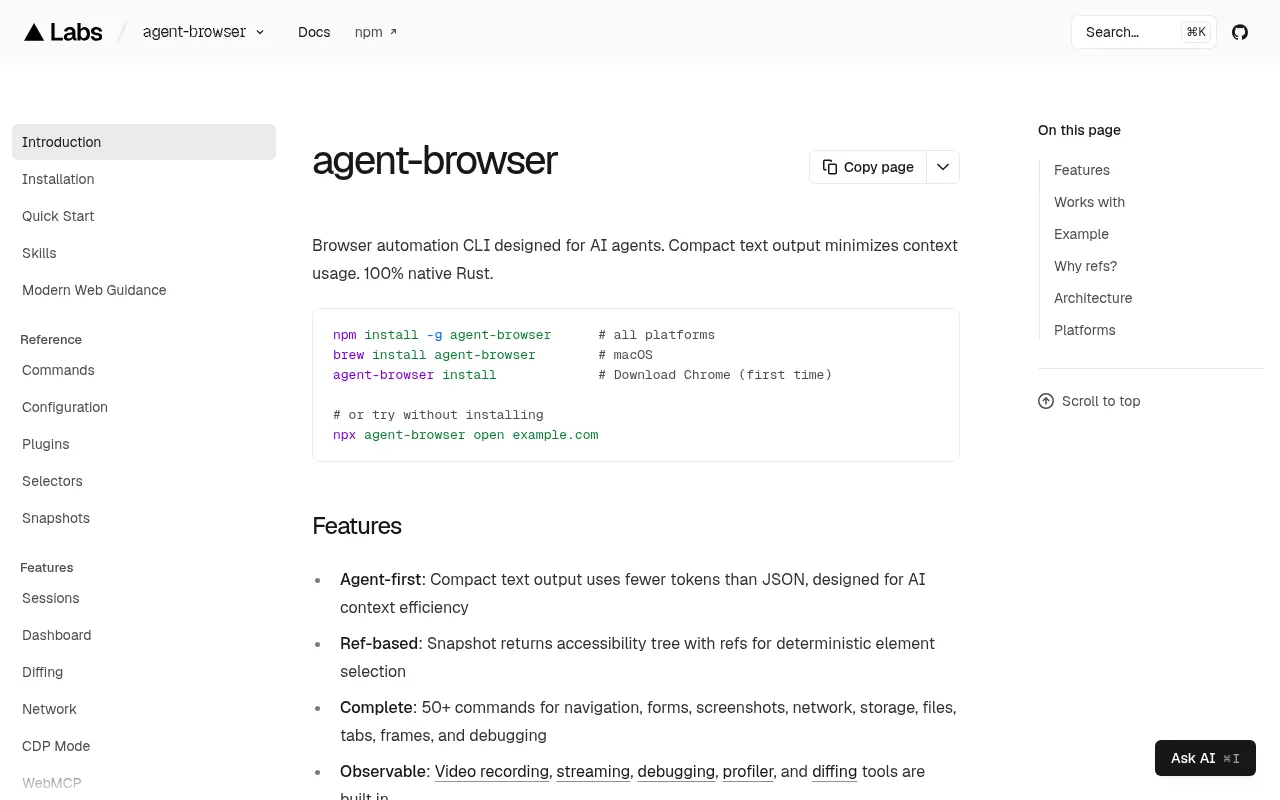
What is agent-browser?
agent-browser is a browser automation CLI designed specifically for AI agents, built with 100% native Rust.It provides efficient browser control through a command-line interface, with a core design philosophy focused on maximizing AI context efficiency.Unlike traditional tools that return bulky JSON or full DOM structures, agent-browser outputs compact plain text, significantly reducing token consumption for LLMs.
Supporting macOS, Linux, and Windows, it integrates seamlessly with major AI coding assistants like Claude Code, Cursor, GitHub Copilot, OpenAI Codex, and Google Gemini.Any agent capable of executing shell commands can directly invoke agent-browser for web navigation, form filling, screenshots, and debugging, making it an ideal infrastructure for autonomous AI workflows.
Key features
- AI-First OutputSnapshot commands return an accessibility tree with refs (e.g., @e1), using ~200-400 tokens compared to 3000-5000 for full DOM, drastically saving context space.
- Deterministic SeRef-based interaction ensures AI can precisely target elements from the snapshot without re-querying the DOM, improving accuracy and speed.
- Comprehensive CoIncludes 50+ commands covering navigation, forms, screenshots, network control, storage management, tab handling, frame interaction, and debugging.
- Deep ObservabiliBuilt-in video recording, streaming, debugging tools, profiler, and diffing capabilities allow developers to monitor agent behavior effectively.
- Modern Web SuppoFirst-class support and documentation for React, Web Vitals, init scripts, and Next.js + Vercel workflows.
- Stateful SessionSupports sessions, profiles, auth state, cookies, storage, proxy, and security controls, suitable for complex long-running agent tasks.
How to use it
- Install globally via npm by running `npm install -g agent-browser`, or use `brew install agent-browser` on macOS.
- Run `agent-browser install` for the first time to download the necessary Chrome browser components.
- Open a target webpage by executing `agent-browser open example.com` in your terminal.
- Run `agent-browser snapshot -i` to get a compact text snapshot of the page, noting the ref IDs (e.g., @e1) next to elements.
- Interact using ref IDs, such as `agent-browser click @e1` to click a specific element, or `agent-browser screenshot page.png` to save a screenshot.
Where it fits
- End-to-End TestLet AI agents automatically execute complex user journey tests using deterministic ref selectors, eliminating the need to maintain fragile CSS/XPath selectors.
- Intelligent WebCombine AI understanding with dynamic structure recognition to extract information reliably, even from modern web apps with frequently changing layouts.
- Autonomous Web ABuild AI assistants that can independently browse, fill forms, handle login states, and perform multi-step tasks, suitable for customer service or administrative automation.
Pricing and free quota
Pricing and any free quota follow the official site.
Who it is for
- AI Application Developers
- Test Automation Engineers
- RPA Process Designers
- Frontend Developers
FAQ
Which AI models does agent-browser support?
It is not tied to a specific model but supports any AI agent capable of executing shell commands, including Claude Code, Cursor, GitHub Copilot, OpenAI Codex, and Google Gemini.
Why use Refs instead of CSS selectors?
Refs provide deterministic and context-efficient targeting.Each element has a unique ID in the snapshot, allowing LLMs to reference it directly without the overhead and instability of re-querying the DOM.
Can it run in headless mode?
Yes, the daemon starts a headless browser by default.It also supports headed browser modes for video recording and debugging purposes.
How do I maintain login state?
agent-browser supports stateful sessions, allowing you to save cookies, storage, and auth state, enabling agents to stay logged in across multiple commands.