
Models & resources
Cherry Studio
Cherry Studio is an open-source and free AI desktop client designed to provide a comprehensive workstation experience for power users.
What is Cherry Studio?
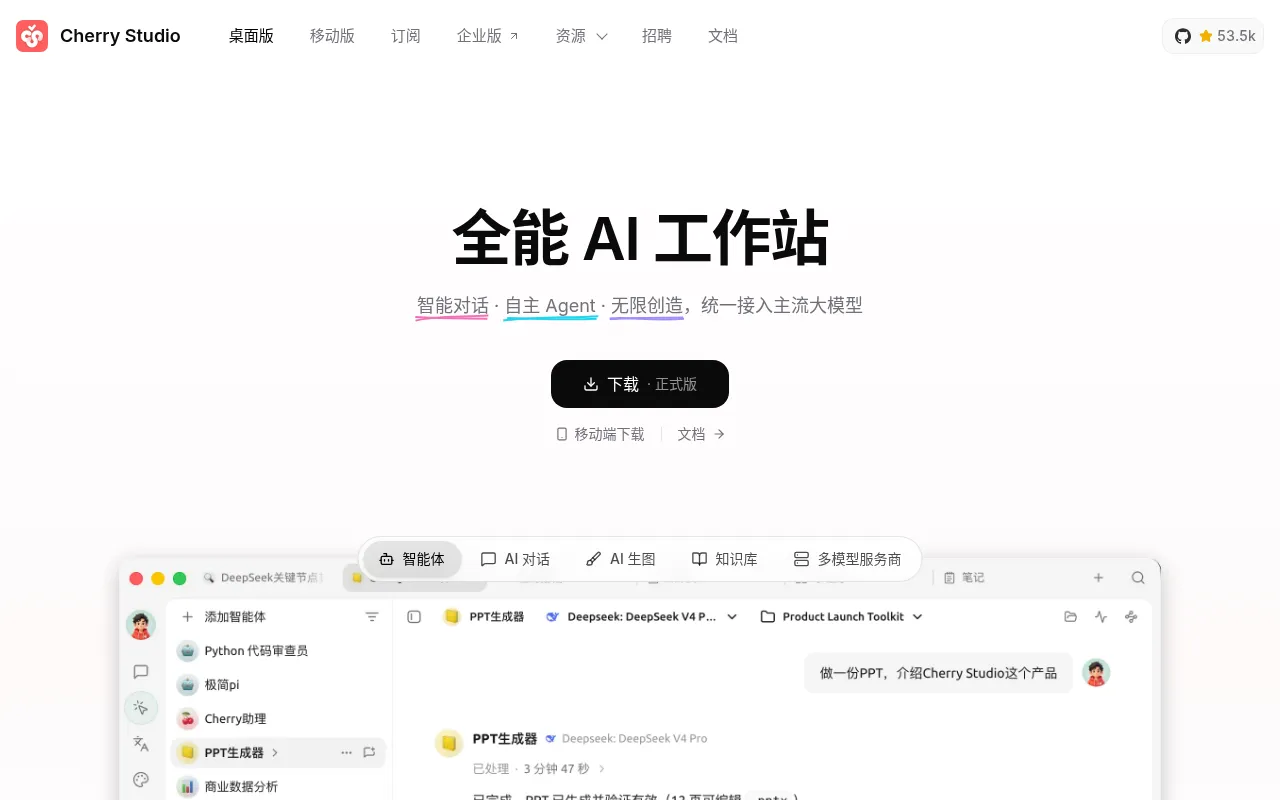
Cherry Studio is an open-source and free AI desktop client designed to provide a comprehensive workstation experience for power users.It integrates core features such as AI chat, AI image generation, intelligent Agents, and knowledge base management, enabling users to handle diverse tasks efficiently within a unified environment.
The tool supports major operating systems including Windows, macOS, and Linux, and is compatible with all mainstream large language models.For users concerned about data privacy, Cherry Studio offers local data storage options, ensuring that sensitive information remains on your local device.
Key features
- Open Source & FrAs an open-source project, Cherry Studio is completely free to use with transparent code and community-driven development.
- Cross-Platform SNatively supports Windows, macOS, and Linux, catering to different development environments and user preferences.
- Multi-Model CompCompatible with all mainstream large language models, allowing users to flexibly switch between different model services as needed.
- AI Agent SupportBuilt-in AI Agent capabilities enable the execution of more complex automated tasks and logical processing.
- Local KnowledgeFeatures knowledge base management, allowing users to upload documents and engage in deep, context-aware interactions with AI.
- Local Data StoraPrioritizes data privacy by supporting local storage for chat history and knowledge base data, mitigating cloud leakage risks.
- AI Image GeneratIntegrates AI drawing capabilities alongside text interaction to meet creative generation needs.
How to use it
- Visit the official Cherry Studio website or GitHub repository to download the installer for your operating system.
- Launch the application after installation and configure your desired API keys or local model paths as prompted.
- Confirm the data storage location in settings, preferably choosing a local directory to ensure privacy.
- Create a new chat window and select an appropriate large model to start text conversations or task processing.
- To use the knowledge base feature, upload relevant documents and reference them in chats for precise answers.
Where it fits
- Private KnowledgIdeal for enterprises or individuals handling sensitive documents, leveraging local knowledge base features for secure information retrieval and Q&A.
- Multi-Model BencDevelopers and researchers can quickly switch between different models in the same interface to compare outputs and select the best solution.
- Daily ProductiviIntegrates writing, drawing, and assistant functions to provide a one-stop AI-assisted office experience.
Pricing and free quota
Pricing and any free quota follow the official site.
Who it is for
- Privacy-conscious AI power users
- Researchers needing local knowledge base management
- Cross-platform developers
- Multi-model evaluation enthusiasts
FAQ
Which operating systems does Cherry Studio support?
It supports the three major desktop operating systems: Windows, macOS, and Linux.
Will my data be uploaded to the cloud?
Cherry Studio supports local data storage, allowing you to keep data on your local device without mandatory cloud uploads.
Is there a fee to use Cherry Studio?
The software itself is open-source and free.However, if you connect to paid third-party API models, you will need to pay the model provider.