
Detection & evals
GPTZero
Verify authentic writing with video replay and sentence-level analysis to preser
What is GPTZero?
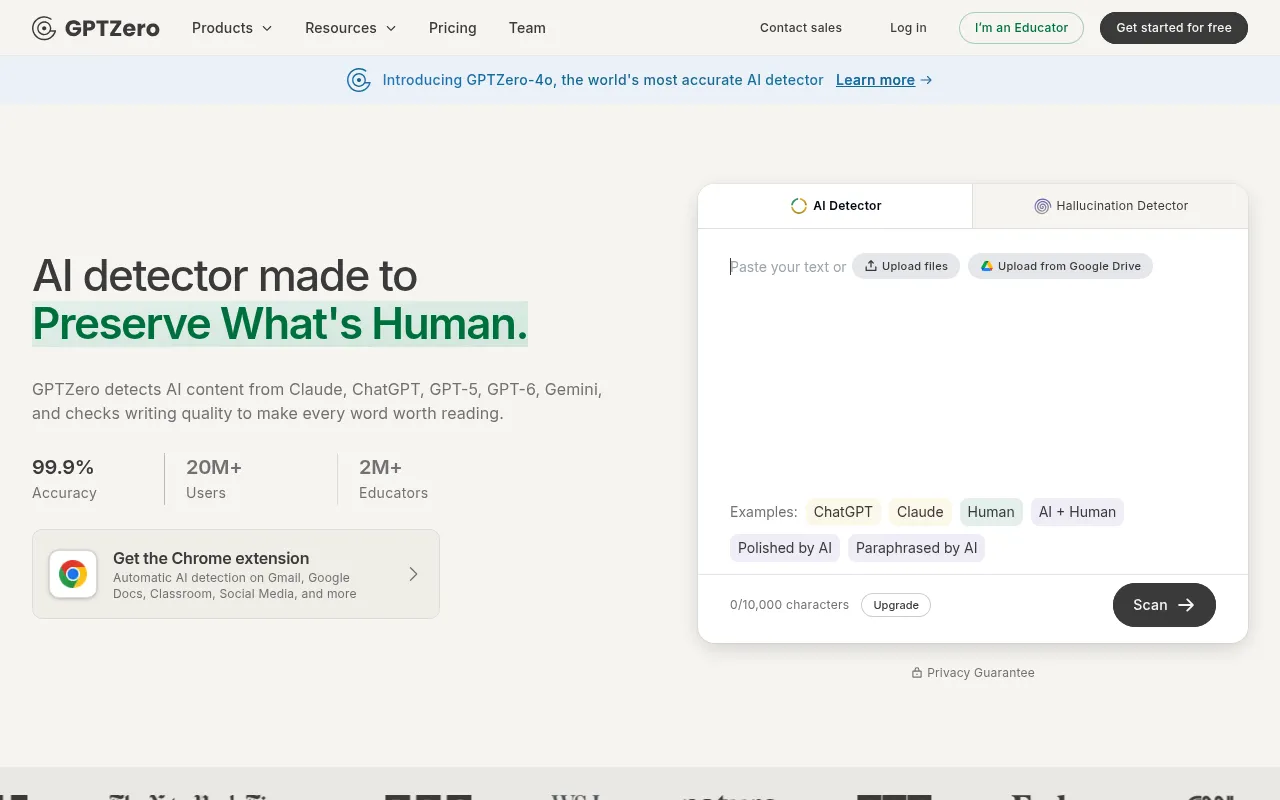
GPTZero is an AI detection tool designed to 'Preserve What's Human,' capable of identifying generated text from major models including ChatGPT, Claude, Gemini, Llama, and even emerging versions like GPT-5 and GPT-6.It provides not only an overall AI probability score but also advanced sentence-by-sentence detection to help users understand the origin of their content.
Beyond basic detection, GPTZero introduces a unique 'Writing Replay' feature that records document editing processes, copy-paste actions, and typing patterns to provide video proof of authenticity.Backed by independent benchmarking that highlights its best-in-class accuracy, it has become a vital tool for educators, writers, and businesses building trust.
The platform integrates seamlessly with common learning and work environments such as Google Docs, Canvas, and Google Classroom, and offers a Chrome extension for automatic detection in Gmail and social media.It also includes plagiarism checking and an AI writing tutor, focusing on improving overall writing quality rather than just policing content.
Key features
- Multi-Model DeteAccurately classify text generated by major AI models including ChatGPT, Gemini, Claude, Llama, and more.
- Writing Replay VView video proof of the writing process to identify unnatural typing patterns or copy-paste actions, verifying authentic voice.
- Sentence-Level AGo beyond basic checkers with detailed sentence-by-sentence insights; independent benchmarking shows best-in-class accuracy.
- Plagiarism DetecEnsure originality by checking if content was copied from outside sources without proper attribution.
- AI Writing TutorBuild responsible writing habits with custom AI-powered feedback tools designed to improve writing quality.
- Seamless IntegraWorks directly within Google Docs, Canvas, and Google Classroom, with a Chrome extension for auto-detection in Gmail and social media.
How to use it
- Visit the GPTZero website or install the Chrome extension to get started.
- Paste your text into the input box or connect your Google Docs account directly.
- Click the 'Scan' button to instantly receive an overall AI score and sentence-by-sentence detection results.
- For higher verification confidence, enable 'Writing Replay' to view video proof of the document creation process.
- Review the detailed writing report and use AI tutor suggestions to optimize content or confirm originality.
Where it fits
- Educational AsseTeachers use GPTZero to verify the authenticity of student submissions and facilitate better discussions using writing replay evidence.
- Professional ConWriters and freelancers use the detector to prove the originality of their work to clients, building trust and credibility.
- Corporate CompliTeams ensure that blogs, marketing materials, and internal documents meet originality standards and are free from plagiarism before publication.
Pricing and free quota
Pricing and any free quota follow the official site.
Who it is for
- Educators and Teachers
- Students and Researchers
- Professional Writers and Editors
- Corporate Content Teams
FAQ
Which AI models can GPTZero detect?
It can detect text from major models including ChatGPT, Claude, Gemini, Llama, as well as GPT-5 and GPT-6.
What is the 'Writing Replay' feature?
It is an advanced feature that records the document creation process, including copy-paste actions and typing patterns, to provide video proof of human authorship.
How accurate is GPTZero?
The official site claims 99.9% accuracy, and independent benchmarking indicates its Advanced Scan has best-in-class precision.
Can I integrate it with Google Docs?
Yes, GPTZero offers a free Google Docs add-on that allows you to perform AI detection directly within your document editing environment.