
AI office
WPS AI
WPS AI is an artificial intelligence application with large language model capabilities under Kingsoft Office, designed to boost office productivity through intelligent technology.
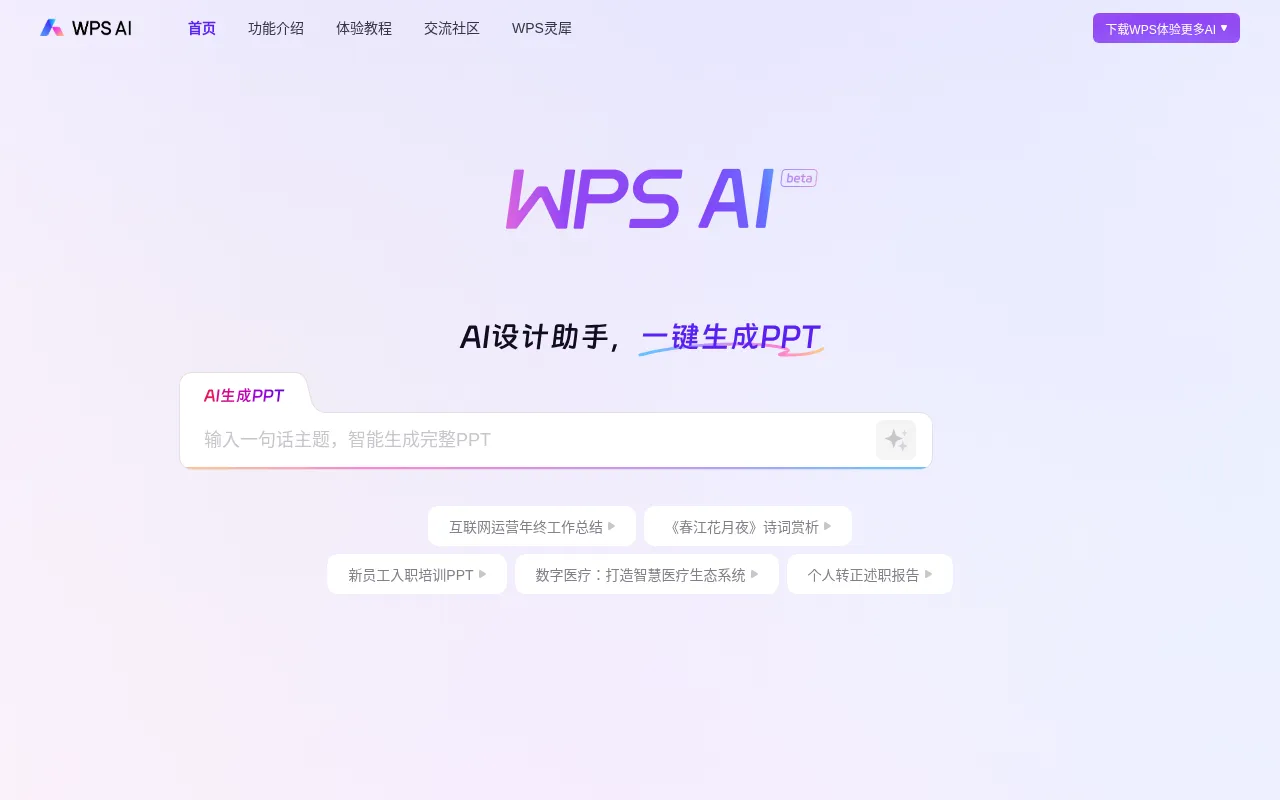
What is WPS AI?
WPS AI is an artificial intelligence application with large language model capabilities under Kingsoft Office, designed to boost office productivity through intelligent technology.It integrates tightly with the WPS office suite, providing end-to-end support from content creation to data analysis, allowing users to enjoy AI convenience within a familiar interface.
The tool covers three core scenarios: documents, presentations, and spreadsheets.For documents, it supports intelligent writing, long-text reading processing, and human-computer interaction; for presentations, it enables one-click PPT generation and outline construction; for spreadsheets, it focuses on data analysis and natural language formula generation, helping users handle complex data tasks with ease.
Key features
- AI Writing AssisSupports article rewriting, continuation, polishing, and style conversion (e.g., classical Chinese style), and can quickly generate specific formats like weekly reports, presentation scripts, and press releases based on topics.
- One-Click PPT GeAutomatically generates PPT outlines based on given topics and converts them into complete presentations, suitable for work summaries, training courseware, and other scenarios.
- AI Data AssistanEliminates the need to memorize complex functions; users simply describe their needs in natural language, and WPS AI automatically writes Excel formulas or sets conditional formatting to simplify data processing.
- AI Reading AssisProvides one-click full-text summarization for complex project reports or academic papers, condensing long articles into refined abstracts, and supports precise Q&A search based on document content.
- Multi-Scenario TIncludes various AI templates such as internet operations summaries, poetry appreciation, onboarding training, and duty reports, helping users quickly start creating professional documents.
How to use it
- Visit the official WPS AI website or download the latest version of the WPS client to access full features.
- Log in to your WPS account and ensure that your WPS AI benefits are activated.
- Open a document, spreadsheet, or presentation, and click the WPS AI entry icon in the interface.
- Enter your request in the dialog box, such as 'Help me write a year-end summary outline' or describe filtering conditions in natural language.
- Review the AI-generated content and choose options like 'Continue Writing', 'Polish', or 'Insert' to optimize the result as needed.
Where it fits
- Workplace ReportQuickly generate outlines and body text for mid-year reviews, probation reports, or weekly work updates to improve workplace communication efficiency.
- Academic ResearcAssist in writing social practice reports or financial application studies, and use the AI Reading Assistant to quickly extract core viewpoints from literature.
- Content CreationGenerate viral note titles for platforms like Xiaohongshu, or continue writing and convert styles for topics such as aerospace science popularization.
Pricing and free quota
Pricing and any free quota follow the official site.
Who it is for
- Corporate office workers
- Students and educators
- Content creators and social media operators
- Data analysts
FAQ
Which users can claim WPS AI trial benefits?
Specific eligibility is subject to official announcements or your account page, but trial benefits are generally available to registered users.
How can I check if my WPS AI benefits are activated?
You can log in to your WPS account and check the benefit status and validity period in the personal center or at the AI feature entry point.
Is there a difference between the web version and the client?
Yes, according to official notes, the web version only offers basic features.It is recommended to download the WPS client to experience more advanced AI features.