
AI coding
Cline
Open-source AI coding agent with Plan/Act modes and terminal-first workflows
What is Cline?
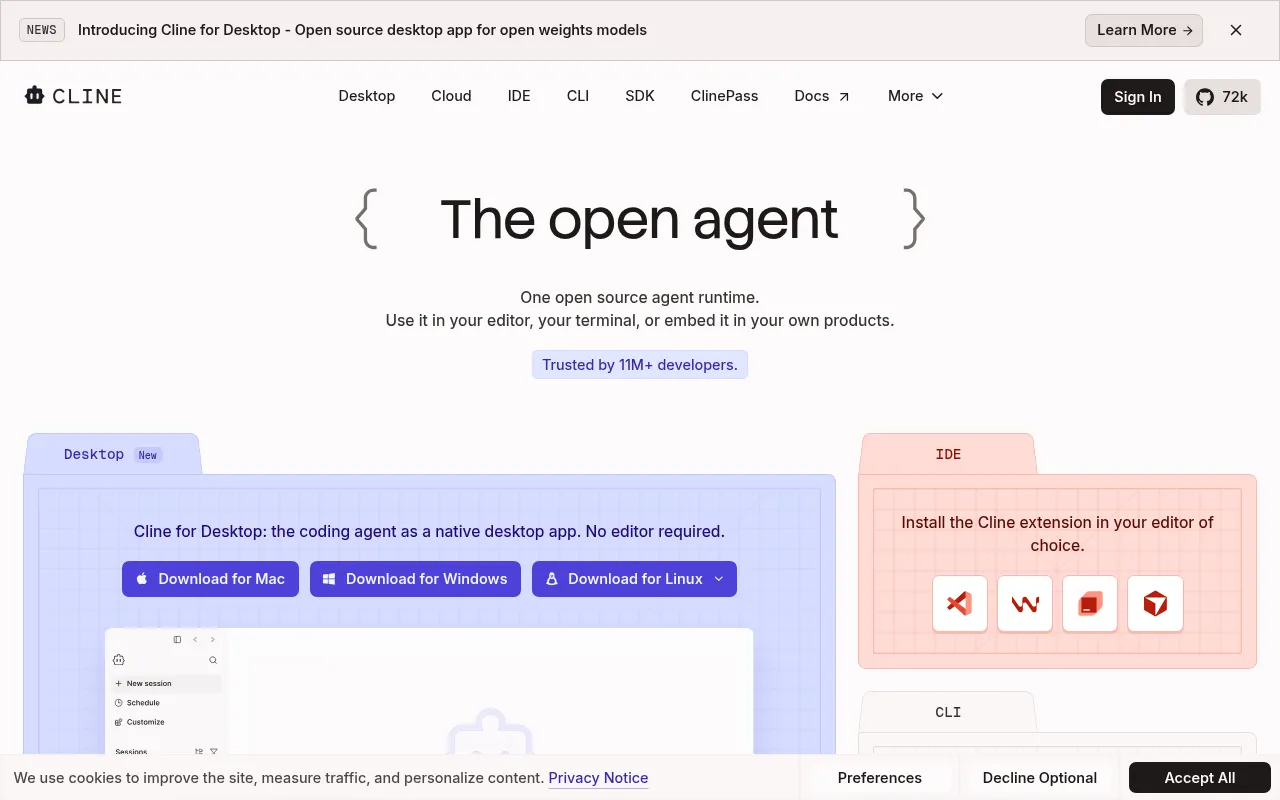
Cline is an open-source AI coding agent designed to provide developers with a vendor-lock-free coding experience.It goes beyond simple code completion by acting as an intelligent agent that understands project structure, coordinates multi-file changes, and executes terminal commands.Cline features distinct 'Plan' and 'Act' modes, allowing users to review strategies before action or automate tasks upon approval.
The tool offers exceptional flexibility, functioning as an extension for editors like Visual Studio Code, Windsurf, JetBrains, and Cursor, or as a standalone desktop app and CLI.Cline is compatible with a wide range of models including Claude, GPT, Gemini, and local options via Ollama or LM Studio, giving users full control over their AI infrastructure and costs.
Key features
- Plan and Act ModToggle Plan mode to align on a strategy, then switch to Act to execute.Users can approve every step manually or enable auto-approve for an autopilot-like development experience.
- Terminal-First WCline executes bash commands directly in the terminal and reacts to output as it appears.It handles long-running dev servers, tests, and deployments in real time.
- Multi-Model SuppWorks with Claude, GPT, Gemini, local Ollama/LM Studio, or any OpenAI-compatible endpoint.Bring your own API keys or weights to avoid vendor lock-in.
- Cross-Project EdCoordinates multi-file changes with linter-aware fixes, diffs, checkpoints, and one-click undo capabilities at every step.
- Rules and SkillsShip .clinerules files with your repository to teach the agent your specific coding standards, architecture patterns, and deployment conventions.
- MCP IntegrationRegister custom tools and lifecycle hooks via the SDK, and plug in MCP servers to connect with databases, APIs, and infrastructure resources.
How to use it
- Install the Cline extension in VS Code, Windsurf, JetBrains, or Cursor, or download the desktop app.
- Configure your preferred AI model provider by entering your own API keys or using Cline's service.
- Create a .clinerules file in your project to define coding standards and architectural constraints.
- Use Plan mode to describe task goals and review the strategy proposed by the agent.
- Switch to Act mode and approve the agent to make code changes, run terminal commands, or execute tests.
Where it fits
- Complex RefactorLeverage multi-file coordination capabilities to safely refactor large codebases while maintaining linter checks and version control consistency.
- DevOps AutomatioLet Cline manage dev servers, run test suites, and execute deployment scripts through terminal integration, reducing manual operations.
- Onboarding New MNew developers can quickly understand existing codebases by asking Cline questions about file structures, dependencies, and behaviors.
Pricing and free quota
The open-source version of Cline is completely free for individual developers.Users only pay for AI inference on a usage basis, with no subscriptions or seat fees.Enterprise plans offering SSO, SLA, and dedicated support are available via custom pricing.
Who it is for
- Full-stack developers
- DevOps engineers
- Technical team leads
- Open source contributors
FAQ
Is Cline free?
Yes, the Cline open-source extension is completely free for individual developers.You only pay for AI inference on a usage basis, with no subscriptions or vendor lock-in.
Can I use my own API keys?
Absolutely.You can bring your own API keys from providers like OpenAI, Anthropic, and Google, giving you complete control over costs and usage.
Which editors does Cline support?
Cline supports Visual Studio Code, Windsurf, JetBrains IDEs, and Cursor, and also offers a standalone desktop app and CLI tool.