
AI coding
iFlow CLI
iFlow CLI is an interactive terminal tool designed to reshape the R&D paradigm through natural language interaction.
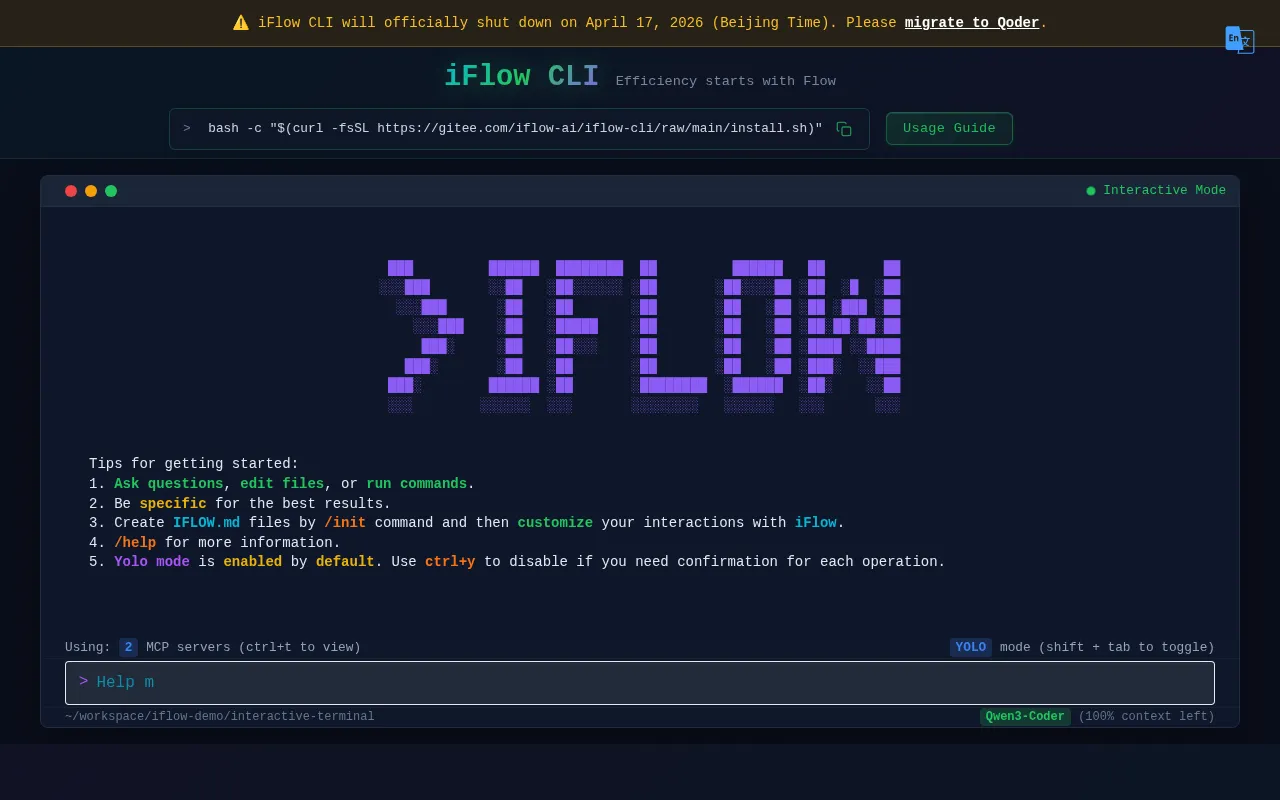
What is iFlow CLI?
iFlow CLI is an interactive terminal tool designed to reshape the R&D paradigm through natural language interaction.It allows developers to drive AI using everyday conversation rather than complex commands, solving various needs from code development to personal assistance with a single sentence.The tool integrates seamlessly into mainstream development environments, helping users enter a state of high-efficiency flow.
As part of the Flow Open Platform, iFlow CLI aggregates the latest AI models in the industry, including Kimi K2, Qwen3 Coder, and GLM4.5, allowing users to experience frontier technologies at zero cost.Its core advantage lies in multi-agent collaboration, which intelligently decomposes complex tasks for concurrent processing by specialized agents while maintaining independent contexts to avoid interference.
Please note that the official announcement states iFlow CLI will officially cease service on April 17, 2026 (Beijing Time), and users are advised to migrate to Qoder.Until then, users can still use the tool via command line or IDE plugins, enjoying the convenience of its open agent ecosystem and MCP marketplace.
Key features
- Free Frontier MoEnjoy the Flow Open Platform and experience the latest industry models like Kimi K2, Qwen3 Coder, and GLM4.5 at zero cost.
- Multi-Agent CollIntelligently decompose complex tasks with concurrent collaboration from specialized agents, maintaining independent contexts to avoid interference.
- Natural LanguageSay goodbye to complex commands; drive AI with everyday conversation to solve all needs from coding to assistance with one sentence.
- Open Agent EcosyAccess a curated marketplace of security-certified MCPs and agents, making creation as simple and intuitive as building blocks.
- Mainstream IDE ICustom plugins available for Visual Studio Code (including Cursor, Windsurf) and JetBrains IDEs (IntelliJ, PyCharm, etc.).
- Automation ReadyUse directly in your favorite dev tools or integrate into existing systems like Jenkins and Jira for automation.
How to use it
- Install via terminal: Run bash -c "$(curl -fsSL https://gitee.com/iflow-ai/iflow-cli/raw/main/install.sh)" in your command line.
- For VS Code users: Search for and install the iFlow CLI plugin in the marketplace, or install via the official link.
- After starting the plugin, run the slash command /ide in VS Code to connect to the terminal.
- For JetBrains users: Search for and install the iFlow plugin in the IDE marketplace.
- Restart your JetBrains IDE to start using iFlow CLI features.
- Input natural language instructions to let AI assist with coding, debugging, or task decomposition.
Where it fits
- Complex EngineerLeverage multi-agent collaboration to break down large refactoring or feature development tasks into sub-tasks handled by specialized agents in parallel.
- Daily Coding AssQuickly generate code snippets, explain logic, or find bugs in VS Code or IntelliJ through natural language conversation.
- CI/CD AutomationIntegrate iFlow CLI into Jenkins or Jira workflows to automate code reviews or task status updates.
Pricing and free quota
The official site offers zero-cost access to frontier models like Kimi K2 and Qwen3 Coder.For specific pricing strategies and potential future plans, please refer to the official website.
Who it is for
- Software Engineers
- DevOps Engineers
- Full-stack Developers
- Tech Team Leads
FAQ
Which AI models does iFlow CLI support?
It currently supports the latest industry models such as Kimi K2, Qwen3 Coder, and GLM4.5.Please refer to the Flow Open Platform for the full list.
How do I use iFlow CLI in my IDE?
For VS Code and JetBrains IDEs, simply search for and install the iFlow plugin in the marketplace, then restart or run the indicated commands to integrate.
Will iFlow CLI be discontinued?
Yes, the official announcement states that iFlow CLI will cease service on April 17, 2026.Users are advised to plan their migration to Qoder in advance.