
AI coding
OpenCode
Open-source coding agent for any device, connecting 200+ model providers
What is OpenCode?
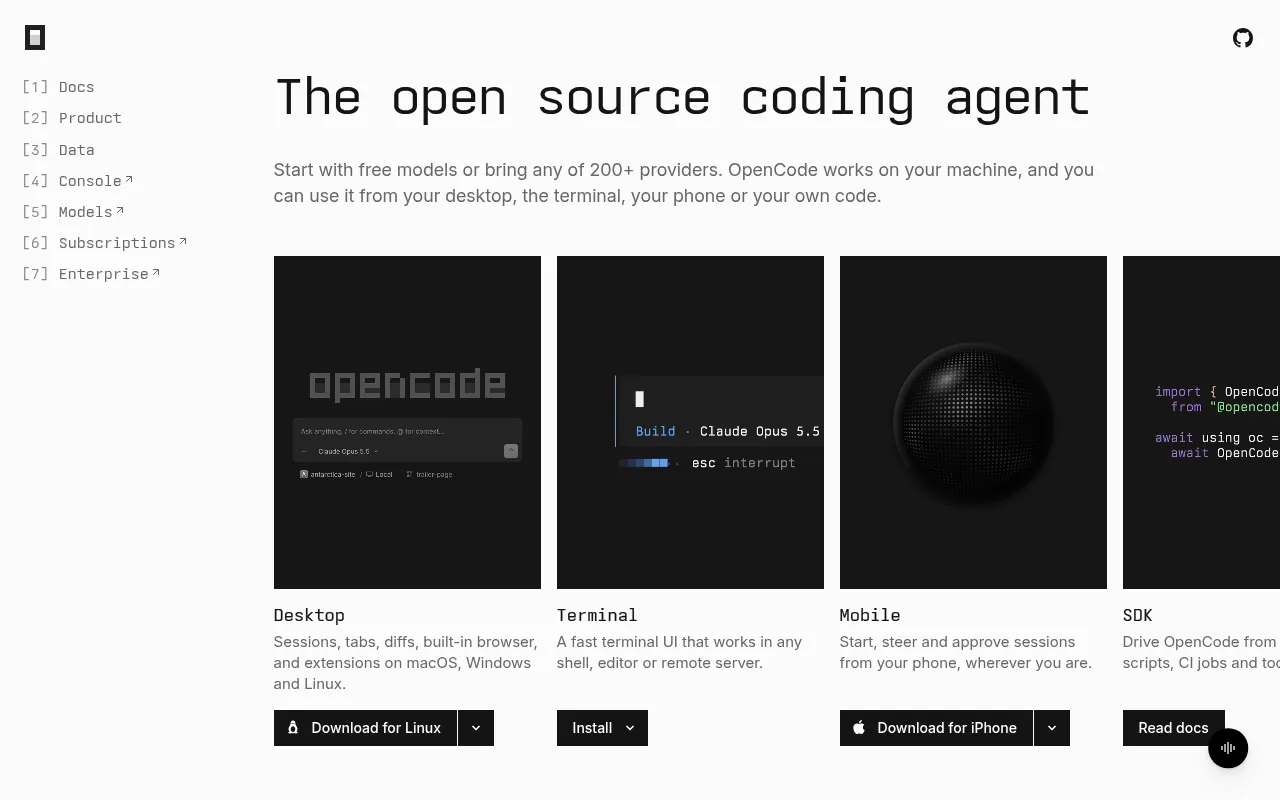
OpenCode is an open-source coding agent built by Anomaly, designed to fit seamlessly into your development workflow.It offers a versatile experience across desktop apps, terminal interfaces, mobile devices, and SDK integrations, allowing developers to leverage AI assistance on macOS, Windows, Linux, and even on the go.
The core strength of OpenCode lies in its open model ecosystem.Through Models.dev, it enables users to connect with LLMs from over 200 providers, including major models like Claude, GPT, and Gemini, as well as local models.This flexibility allows you to choose or switch models based on your specific needs without being locked into a single service.
Backed by a massive community, OpenCode is trusted by over 22 million developers monthly and has garnered more than 226,000 stars on GitHub.Licensed under MIT and maintained by over 1,000 contributors, it ensures transparency, security, and continuous improvement.
Key features
- Cross-Platform AOffers desktop clients for macOS, Windows, and Linux, a terminal UI for any shell, and a mobile app for iOS (Android coming soon) for remote session management.
- Extensive ModelIntegrates 200+ LLM providers via Models.dev, supporting Claude, GPT, Gemini, and local models.Users can bring their own subscriptions or start with free models.
- Multi-Session PaAllows starting multiple agent sessions in parallel within the same project, enabling efficient handling of concurrent tasks.
- Highly ExtensiblSupports writing plugins to hook into events, connecting local or remote MCP servers to extend tool capabilities, and teaching agents reusable workflows via SKILL.md files.
- Customization &Create specialized agents with custom prompts and tools, turn repetitive tasks into slash commands, and finely control which actions run automatically versus requiring approval.
- Safe Undo/RedoFeatures built-in undo/redo functionality, allowing you to roll back recent changes to files and conversations using the /undo command for safe code modification.
How to use it
- Download the desktop client for your OS from the official website, or install the terminal version via curl, npm, brew, or other package managers.
- Launch OpenCode; you can start immediately using the included free models without needing an account.
- To access advanced models, log in with your existing subscriptions like ChatGPT Plus or GitHub Copilot, or subscribe to OpenCode Go.
- Start a new session in your project, describe your task in natural language, and let the agent analyze the codebase and execute changes.
- Enhance the agent's capabilities by configuring MCP servers, installing plugins, or creating custom skills (SKILL.md) as needed.
Where it fits
- Complex RefactorLeverage multi-session parallelism to have multiple agents handle refactoring in different modules simultaneously, significantly reducing maintenance time for large projects.
- Remote Ops & DebUse the mobile app to review and approve code changes on servers remotely, or quickly connect to remote environments via the terminal for troubleshooting.
- Personalized WorAutomate team-specific repetitive tasks like code standard checks or test generation by writing SKILL.md files and custom commands.
Pricing and free quota
OpenCode itself is open-source and free, with built-in free models available without an account.Users can also bring their own subscriptions (e.g., ChatGPT Plus) or purchase OpenCode Go services (listed from $10/month on the official site).Pricing details are subject to the official website.
Who it is for
- Full-stack Software Engineers
- DevOps & System Administrators
- Open Source Contributors
- Teams needing flexible model choices
FAQ
Is OpenCode free?
Yes, OpenCode is open-source software that includes free models ready to use without requiring an account.
Can I use my own API keys?
Yes.OpenCode supports a 'bring your own subscription' model, allowing you to log in with existing accounts like ChatGPT Plus or GitHub Copilot, or connect other supported providers.
Which operating systems are supported?
It supports macOS (Intel/Apple Silicon), Windows (x64/ARM64), and Linux (various formats).There is also a terminal version and an iOS mobile app.
What are MCP servers?
MCP (Model Context Protocol) servers allow you to connect local or remote tools to OpenCode, giving agents the ability to access external data and services.