
AI coding
Qoder
Qoder is a next-generation AI programming platform offering intelligent code completion, conversational coding, and automatic code generation.
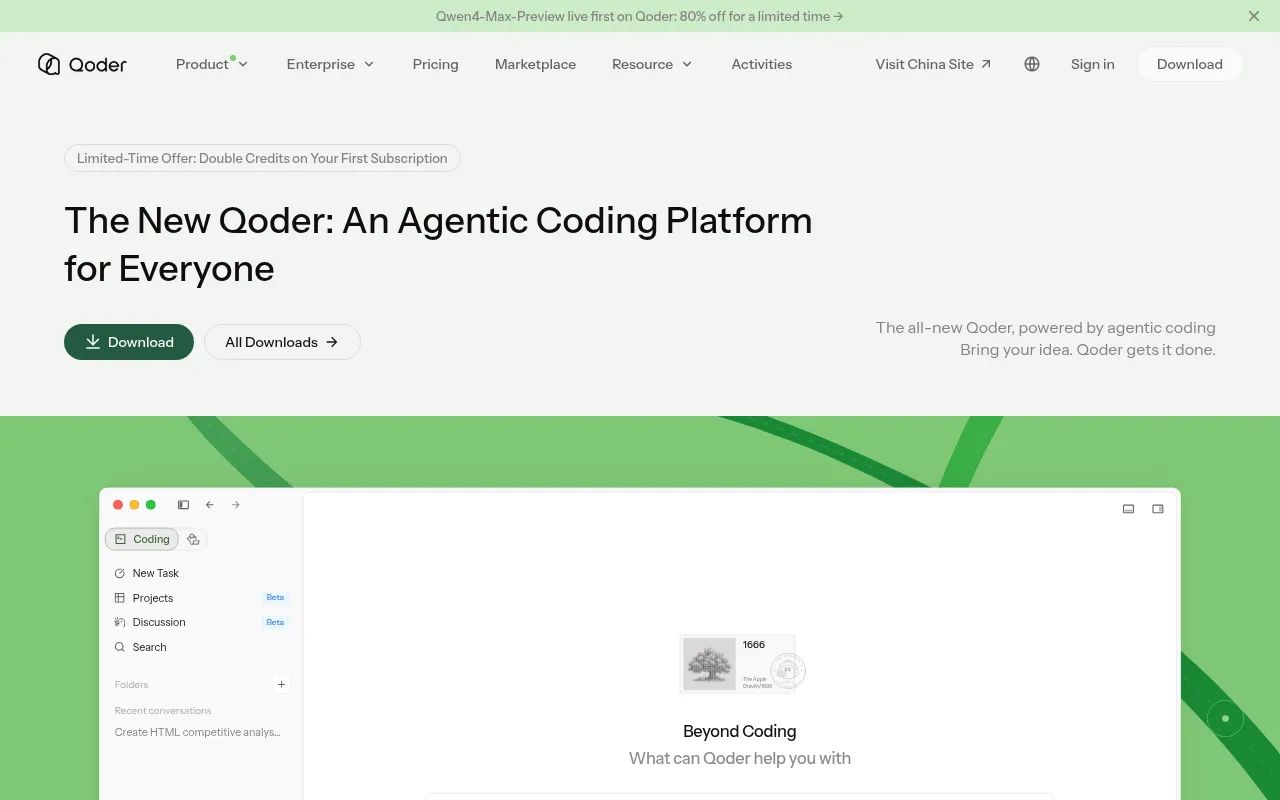
What is Qoder?
Qoder is a next-generation AI programming platform offering intelligent code completion, conversational coding, and automatic code generation.It supports mainstream IDEs such as VS Code and JetBrains, and fits into workflows via desktop, mobile, IDE plugins, and CLI.
As an agentic coding platform, Qoder features deep codebase awareness.You can refine work with autocomplete, collaborate through conversation, or delegate tasks to agents for autonomous programming—aiming for production-ready results.
Beyond individual developers, Qoder provides an Enterprise Edition with an Enterprise Knowledge Engine to boost R&D efficiency and capture organizational know-how.It also exposes an Agent SDK and Cloud Agents for integrating agent capabilities into your own products and systems.
Key features
- Agentic codingCentered on “Bring your idea.Qoder gets it done.”, supporting end-to-end task execution from understanding to autonomous delivery.
- Deep codebase awThe IDE understands project structure and context deeply, enabling more precise completions, refactoring, and issue diagnosis.
- Multi-surface acAvailable as desktop app, mobile app, VS Code/JetBrains plugins, and terminal CLI to fit diverse workflows.
- Mobile agent conMonitor agent progress, approve critical actions, add instructions, and review deliverables directly from your phone.
- Backend-friendlyThe JetBrains plugin emphasizes database awareness and deep framework support for modern backend workflows and refactoring.
- Enterprise KnowlAutomatically distills daily team experience into enterprise knowledge, making agents smarter as your organization uses them.
- Extensible agentBuild or embed agents quickly with the Agent SDK; Cloud Agents offer managed, customizable, enterprise-ready services.
How to use it
- 1) Visit qoder.com, sign up, and download the client or plugin that fits your workflow (desktop, VS Code/JetBrains, or CLI).
- 2) Open your project workspace so Qoder can build deep codebase context.
- 3) Describe your task in conversation or use commands/prompts to guide the agent’s steps.
- 4) Approve critical actions when needed, review changed files and tests, and confirm outcomes.
- 5) For team collaboration, explore the Enterprise Edition and Enterprise Knowledge Engine and enable team features as guided.
- 6) To integrate elsewhere, consult the Agent SDK and Cloud Agents documentation.
Where it fits
- Rapid feature deDescribe requirements in natural language and let the agent scaffold, implement core logic, and add basic tests.
- Auth and securitFocus on login and refresh-token paths, identify edge cases, fix with minimal changes, and add targeted tests.
- Backend refactorLeverage JetBrains integration for deep framework support and database-aware refactoring to reduce manual effort.
- Remote approvalMonitor agent progress, approve critical steps, and accept deliverables from your phone while on the go.
- Enterprise knowlTurn daily development experience into reusable enterprise knowledge to improve accuracy and speed over time.
Pricing and free quota
Pricing and any free quotas follow the official site.
Who it is for
- Independent developers and small teams
- Frontend and backend engineers
- Tech leads who need mobile approvals
- Enterprise R&D teams seeking knowledge capture
- Teams integrating agent capabilities into products
FAQ
Which development environments does Qoder support?
The official site states support for mainstream IDEs like VS Code and JetBrains, plus desktop, mobile, and CLI options.
Can Qoder automatically change my code?
It supports autonomous programming and agent execution, with approvals available for critical actions; exact behavior depends on settings and official documentation.
What’s special about the Enterprise Edition?
It includes an Enterprise Knowledge Engine that distills daily team experience into enterprise knowledge, helping agents improve over time for collaborative, scaled R&D.
Can I integrate Qoder’s agent capabilities into my own product?
Yes.The official site offers an Agent SDK for building or embedding agents, and Cloud Agents for managed, flexible integration.
How do I get started?
Visit qoder.com, sign up, download the appropriate client or plugin, open your project, and start tasks via conversation or commands.
Tags
Related news on 88z.ai
- Alibaba Launches Anonymous Coding Model Qoduck, Available for Free on QoderFlash
- Alibaba's Qoder Agent Workbench Officially Launches Qoder SitesFlash
- Qoder Launches Sonus Model, Significantly Enhancing Computer Operation CapabilitiesFlash
- Alibaba Officially Launches QoderWake 1.0Flash
- Alibaba Cloud Launches One Key MCP for One-Click Access to Multiple MCP ServicesFlash