
AI coding
ZCode
ZCode is a next-generation ambient programming tool launched by Beijing Zhipu Huazhang Technology Co., Ltd.
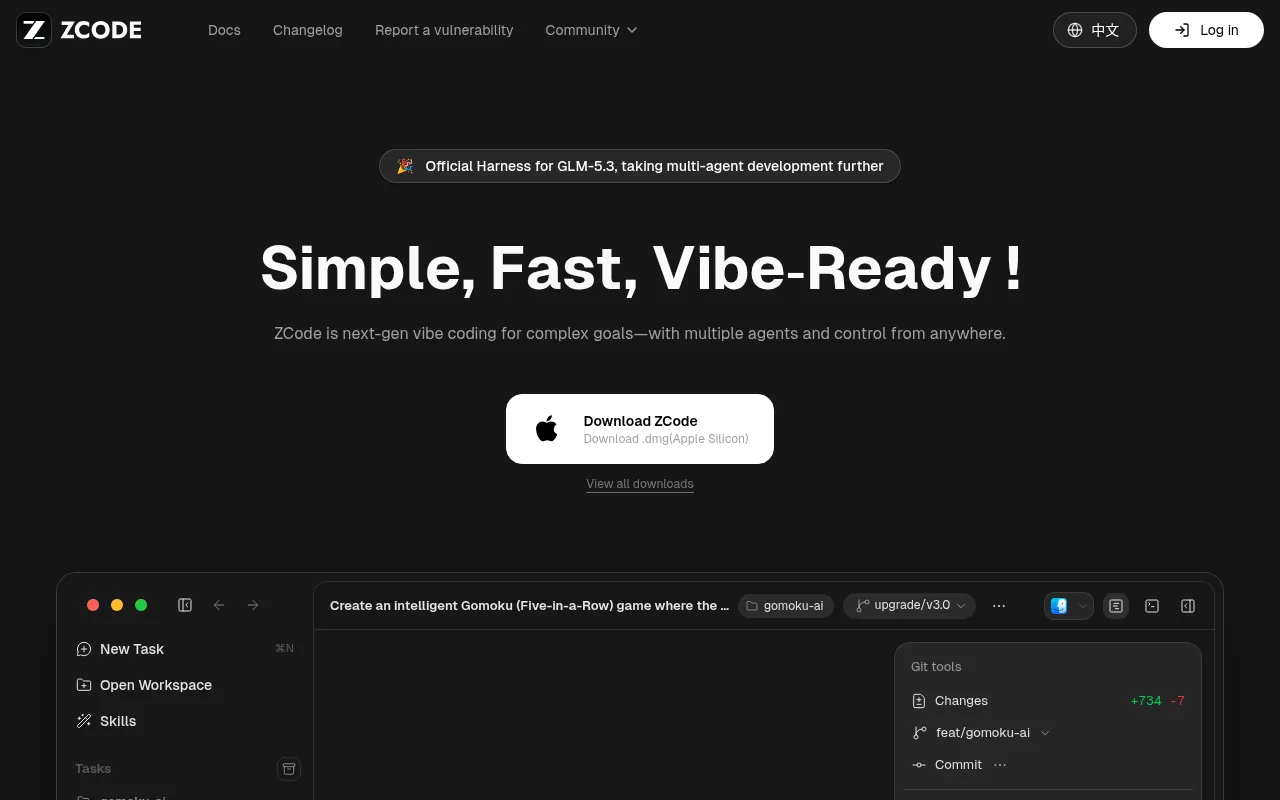
What is ZCode?
ZCode is a next-generation ambient programming tool launched by Beijing Zhipu Huazhang Technology Co., Ltd.As the official harness for GLM-5.3, it deeply integrates top-tier large models with leading AI coding agents.The product helps developers smoothly complete the entire workflow from planning and coding to review and deployment, making the realization of complex goals simple, fast, and fully controlled.
By deeply adapting to GLM-5.3 and synchronously integrating GLM-5.3-Flash, ZCode unleashes stronger performance in code reasoning, multimodal screenshot understanding, and multi-agent collaboration.Whether clarifying legacy systems or delivering real-time features, it manages long-horizon tasks through Goals, continuously planning, executing, and verifying to ensure teams remain efficient and robust at the technological forefront.
Key features
- Deep GLM-5.3 IntOptimized specifically for GLM-5.3 capabilities with synchronous access to GLM-5.3-Flash, enabling out-of-the-box multimodal tasks like screenshot understanding and image analysis.
- Multi-Agent CollMultiple AI agents work together to achieve complex goals, creating an automated development loop from code generation to logical verification.
- Long-Horizon TasUse Goals to manage complex objectives; the system continuously plans, executes, and verifies, ensuring multi-step workflows progress steadily to completion.
- Remote Bot ContrSupports remote invocation of ZCode via WeChat, Feishu, or Telegram, allowing development tasks to enter execution status anytime, anywhere.
- Cross-Platform SProvides full installation package support for macOS (Apple Silicon/Intel), Windows (64-bit/ARM64), and Linux (x64/ARM64).
- Existing ToolchaSeamlessly integrates with developers' existing toolchains, supporting Git operations, terminal command execution, and local file I/O to adapt to real-world development environments.
How to use it
- Visit the official website to download and install ZCode for your operating system (macOS/Windows/Linux).
- Log in to your account and choose a GLM Coding plan (Lite, Pro, or Max) to obtain point quotas based on your needs.
- Create a new task or open an existing workspace, describing your development goal in natural language (e.g., 'Create a smart Gomoku game').
- Observe the AI agents automatically performing planning, file I/O, code generation, and terminal verification.
- For remote triggering, send commands via your bound WeChat, Feishu, or Telegram Bot to invoke tasks.
- Review code changes after task completion, commit Git records, or deploy directly.
Where it fits
- Building Apps frInput functional requirements, and ZCode automatically creates project structures, writes core logic, and handles UI layout to quickly generate runnable prototypes.
- Legacy System ReAssists in clarifying complex codebases, optimizing architecture, fixing bugs, and supplementing documentation step-by-step through multi-step planning to reduce maintenance costs.
- Automated DevOpsIntegrates changelog generation, GitHub Release draft workflows, and CI failure summaries to achieve automation and standardization of version releases.
Pricing and free quota
Offers three subscription plans: GLM Coding Lite (¥94.4/month), Pro (¥430.4/month), and Max (¥862.4/month).Specific benefits and prices are subject to change; please refer to the BigModel subscription page for final details.
Who it is for
- Full-stack Engineers
- Independent Developers
- Technical Team Leads
- DevOps Engineers
FAQ
Which operating systems does ZCode support?
ZCode supports macOS (Apple Silicon and Intel), Windows (64-bit and ARM64), and Linux (x64 and ARM64).
How can I remotely control ZCode to execute tasks?
You can bind a Bot via WeChat, Feishu, or Telegram to remotely invoke ZCode and put tasks into execution status.
What model does ZCode use?
ZCode is the official harness for GLM-5.3, deeply integrating GLM-5.3 and GLM-5.3-Flash models, with support for multimodal tasks.
What are the differences between GLM Coding plans?
Lite is suitable for lightweight iterations on small repos; Pro is for daily development on medium repos with higher quotas and priority access; Max is for advanced users and deep development on large repos, with resource guarantees during peak hours.